
Missed calls are missed money: how an AI receptionist works
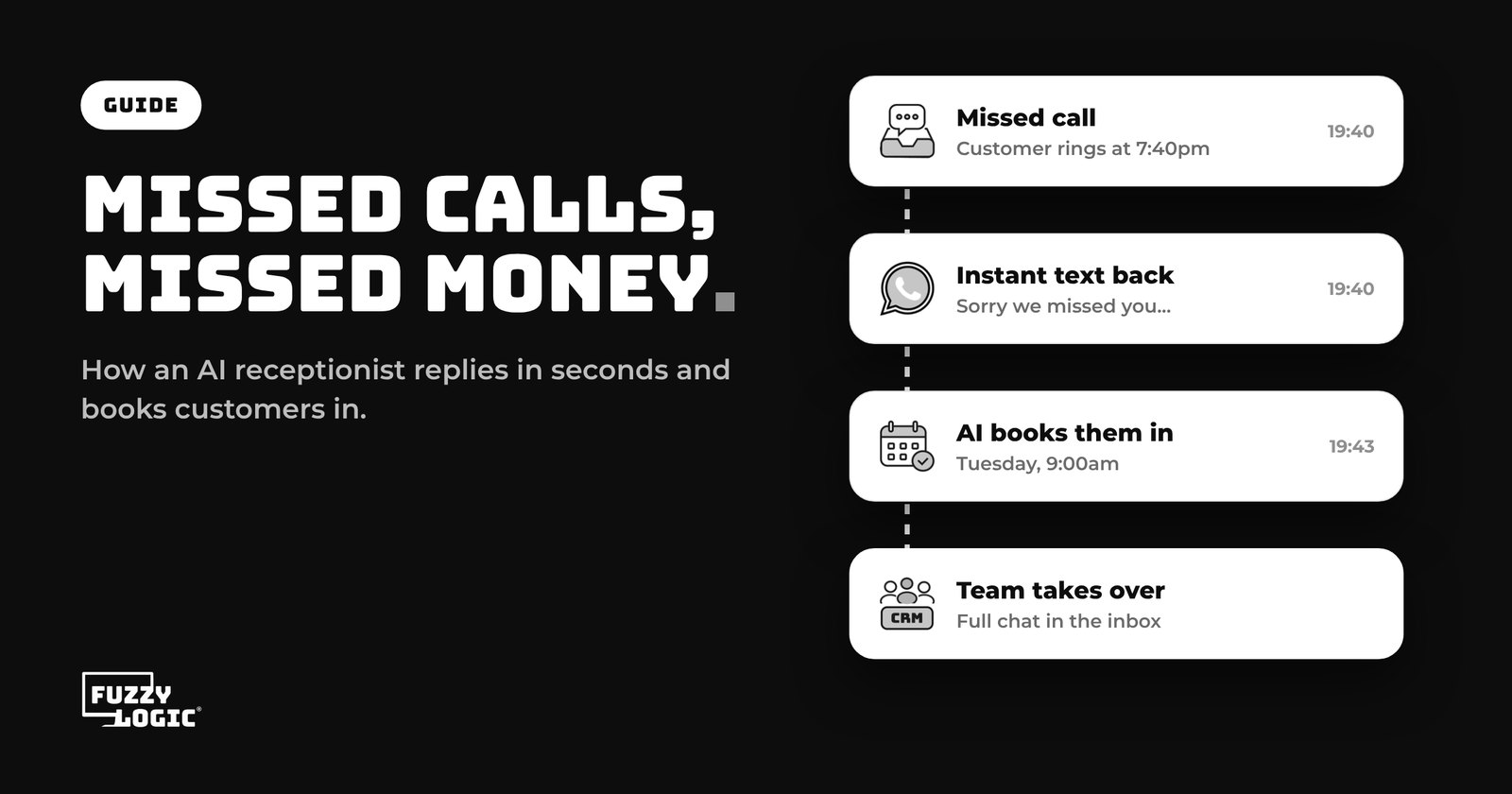
Every time your phone rings out, someone who wanted to give you work is deciding whether to try again or call the next business on the list.
Most of the time, they call the next business. Not because they're impatient, but because they have a problem to solve and the next number is one tap away. If you're on a ladder, with a client or closed for the evening, that call is gone.
You can't answer every call yourself, and a full-time receptionist is a big cost for a small business. That's where missed call text back and AI receptionists come in. This guide explains what they are, how they work, and how to set one up so it sounds like your business rather than a robot.
Why missed calls cost more than you think
A missed call isn't just one lost conversation. Think about what sits behind it:
- Urgent jobs. People who ring rather than email often need help now. They're the most likely to book, and the least likely to wait.
- Out-of-hours enquiries. Evenings and weekends are when many people finally get round to sorting things out, which is exactly when nobody is there to pick up.
- Paid-for leads. If you run ads, every call is one you've already paid to get. A missed call is ad spend down the drain.
- No second chance. Many callers don't leave a voicemail, so you may never know who rang or what they wanted.
The fix isn't working longer hours. It's making sure every caller gets a quick, helpful response, even when you can't be the one giving it.
What is missed call text back?
Missed call text back is the simplest version. When a call to your business number goes unanswered, the caller automatically gets a text message a few moments later. Something like:
"Hi, sorry we missed your call, we're with a customer right now. What can we help with? You can reply here or book a time that suits you."
It works because it moves the conversation to text, which the customer can answer in their own time and you can pick up between jobs. The caller knows you're real and that you'll get back to them, so they're far less likely to ring the next business.
What does an AI receptionist add?
A text back starts the conversation. An AI receptionist carries it on. Instead of waiting for you to reply, it can:
- Answer common questions about your services, opening hours, areas you cover and prices, using information you've given it
- Ask qualifying questions, such as what the job is, where and how soon, so you know what you're walking into
- Book appointments straight into your calendar by offering free slots
- Hand over to a person when a question needs one, with the whole conversation saved so nobody has to ask twice
Some AI receptionists can also answer the phone itself. With voice AI, the call is picked up, the caller's questions are answered, their details are taken and an appointment can be booked, then the notes are passed to your team.
The same assistant can usually reply on other channels too, so a message on WhatsApp, Facebook, Instagram or your website chat gets the same quick answer as a phone call. If WhatsApp is a big channel for you, our guide What is a WhatsApp CRM? explains how to run it as a team.
How it works, step by step
- A customer gets in touch. They call, text or message you.
- The AI responds in seconds. If it's a call it can't answer, a text goes out. If it's a message, the AI replies.
- It works out what they need. It answers questions from your business information and asks a few of its own.
- It books them in. If they're ready, it offers slots from your online booking calendar and confirms the appointment.
- Your team takes over. You see the whole conversation in your inbox, alongside the customer's record, and pick it up from there.
Will it sound like a robot?
This is the most common worry, and it's fair. A badly set up assistant can give vague or wrong answers. A good setup avoids that:
- Give it your real information. Your services, prices or price ranges, areas, opening hours and your most common questions with the answers you'd give.
- Set clear rules. Tell it what it shouldn't do, such as give exact quotes for complex jobs, and when it should hand over to a person.
- Write in your voice. If you're friendly and informal, tell it to be. Use the words your customers use.
- Read the conversations. In the first few weeks, check what it's saying and add to its information wherever it got stuck.
Done this way, most customers simply notice that you replied quickly and helpfully, which is what they wanted in the first place.
Who gets the most from it?
- Trades and home services, where you're on a job most of the day and enquiries come in after hours.
- Clinics, salons and studios, where people want to book at any hour and reception can't always take the call.
- Consultants and agencies, where checking someone's needs and budget before a call saves hours.
- Any business running ads, where every lead has a cost and a slow reply wastes it.
Putting it together
You can't answer every call, but you can make sure no caller is left hanging. Start with a text back for missed calls, then let an AI receptionist answer questions and book appointments so the work keeps coming in while you're busy doing it.
In Fuzzy Logic App, the AI Agent replies across calls, text, email, WhatsApp, Facebook, Instagram and website chat, books appointments into your calendar and hands over to your team when needed. See how it works on our AI receptionist page. The AI Agent, including Voice AI for phone calls, comes with our Framework plan at £329 + VAT a month. Plans start from £99 + VAT a month, with a 14-day free trial.
Hear the AI receptionist working
Book a free call and we'll show you the AI Agent answering real enquiries, or start a 14-day free trial of Fuzzy Logic App.
Read next: The real cost of running your business on six different apps